Kubernetes Deployments Part 1: Foundations & Core Concepts
Welcome to Part 1 of the Kubernetes Deployments series.
In this guide, we’ll cover:
- What a Deployment is
- How Deployment → ReplicaSet → Pods work together
- Scaling applications
- Self-healing behavior
- A hands-on lab to test everything
What is a Deployment?
A Deployment is a Kubernetes controller that manages Pods and ReplicaSets.
Instead of manually creating Pods, you define a desired state, and Kubernetes ensures that state is always maintained.
If a Pod crashes or a node fails, Kubernetes automatically recreates it.
Why Not Create Pods Directly?
If you create a Pod manually:
- If it crashes → it’s gone
- No automatic scaling
- No rolling updates
- No rollback support
Deployments solve all of these problems.
Architecture Overview

How It Works
- You apply a Deployment YAML.
- Kubernetes creates a ReplicaSet.
- The ReplicaSet creates the required number of Pods.
- If a Pod disappears, the ReplicaSet recreates it.
This is called reconciliation — Kubernetes constantly ensures the desired state matches reality.
Basic Deployment YAML Example
apiVersion: apps/v1
kind: Deployment
metadata:
  name: web-deployment
spec:
  replicas: 3
  selector:
    matchLabels:
      app: web
  template:
    metadata:
      labels:
        app: web
    spec:
      containers:
        - name: nginx-container
          image: nginx:1.25
          ports:
            - containerPort: 80
kubectl apply -f deployment.yaml
kubectl get deployments
kubectl get pods
Important Fields Explained
replicas
Defines how many Pod replicas should run.
selector
Tells the Deployment which Pods it manages (must match labels).
template
Defines the Pod specification.
Scaling a Deployment
Scale to 5 replicas:
kubectl scale deployment web-deployment --replicas=5
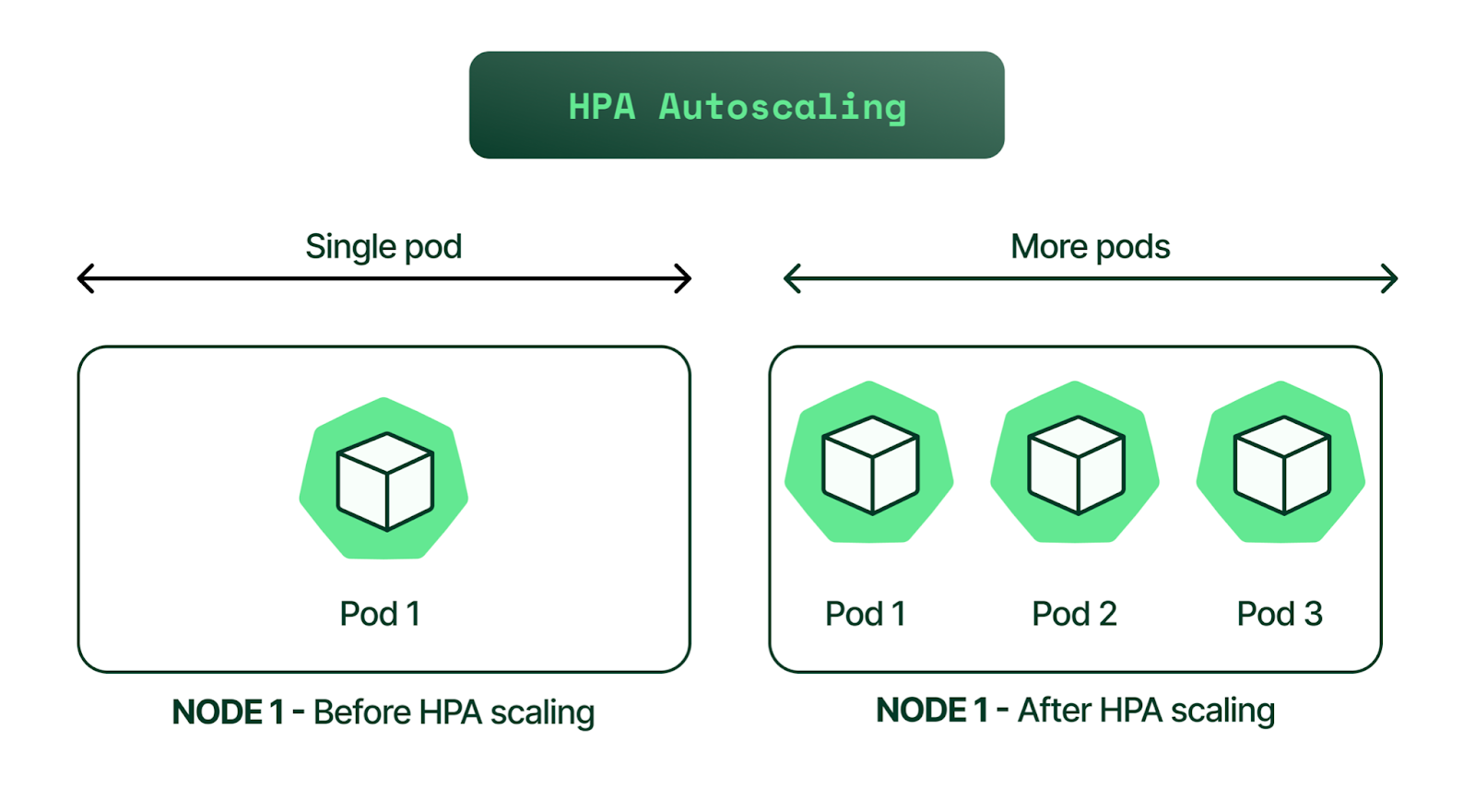
Kubernetes immediately creates new Pods.
Self-Healing Test
Delete a Pod manually:
kubectl get pods
kubectl delete pod <pod-name>
Watch what happens:
kubectl get pods -w
A new Pod is automatically created.
This proves the Deployment and ReplicaSet are working correctly.
Hands-On Lab
Objective
- Deploy Nginx
- Run 3 replicas
- Scale to 5
- Test self-healing
Step 1 — Create Deployment
Use the YAML above and apply it.
Step 2 — Verify 3 Pods Running
kubectl get pods
Step 3 — Scale to 5
kubectl scale deployment web-deployment --replicas=5
Step 4 — Delete One Pod
kubectl delete pod <pod-name>
Observe automatic recreation.
What You Learned in Part 1
- Deployments manage ReplicaSets
- ReplicaSets manage Pods
- Scaling is declarative
- Kubernetes is self-healing by design
In Part 2, we’ll cover rolling updates, rollback strategies, probes, and production best practices.